
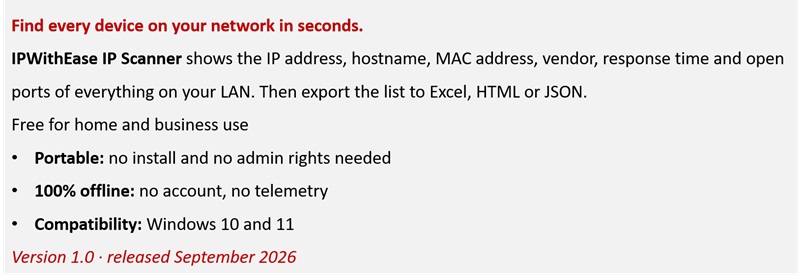
Portable: no install and no admin rights needed
100% offline: no account, no telemetry
Compatibility: Windows 10 and 11
Version 1.0 · released September 202
See everything on your network
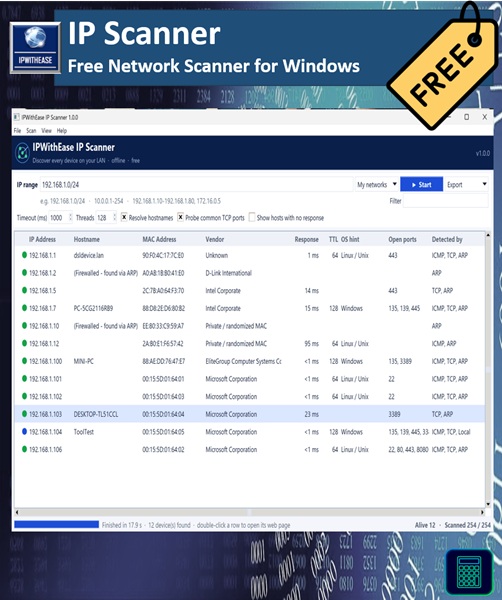
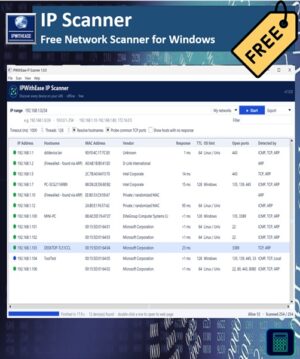
Ever wondered what’s actually connected to your network? IPWithEase IP Scanner answers that in a few seconds. Give it a range (or let it detect your network automatically) and it lists every device that responds, with the details you need to identify it.
It was built by a network architect for the jobs engineers do every day: finding a free IP before assigning one, tracking down a printer that lost its DNS record, checking what’s plugged into a branch office, or documenting a site before a change.
What it finds
- Live devices, even ones that ignore ping. Each address is tried with ICMP, then TCP on common ports, then ARP. Phones, cameras and firewalled PCs that ignore ping still show up.
- Hostnames from DNS, with a NetBIOS fallback for Windows PCs, NAS boxes and printers that have no DNS entry.
- MAC addresses and vendors. Over 35,000 manufacturer entries are built in, so you can tell a Cisco switch from a Hikvision camera at a glance. Randomized phone MACs are labelled as such.
- Response time and an OS hint (Windows, Linux/Unix or network device) based on TTL.
- Common open ports: web, SSH, Telnet, RDP, SMB, DNS, printers, RTSP cameras and more.
Built for real networks
- Scan a CIDR (192.168.1.0/24), a range (10.0.0.1-254), single IPs or host names, or several at once.
- A /24 scan takes about 4–8 seconds.
- It warns you when a firewall or web proxy is answering for every address, so remote ranges aren’t falsely reported as full.
- Sort and filter results, copy IPs or MACs with a right-click, open a device’s web page or file share directly, and rescan only the rows you choose.
Reports in one click
Export to CSV (opens straight in Excel), a standalone HTML report for tickets and documentation, JSON for scripts, or plain text. There’s also a command-line mode for automation:
IPWithEase-IP-Scanner.exe --cli 192.168.1.0/24 -o scan.csv
Private by design
The scanner works entirely on your computer. It doesn’t need an internet connection, doesn’t ask you to sign up, and never sends your scan results anywhere.
What you get
- IPWithEase IP Scanner installer (adds a Start menu shortcut and uninstaller)
- Portable .exe that runs from any folder or USB stick, no install needed
After checkout the download links appear on the order page and in your email. You can always download the latest version again from My Account → Downloads.
System requirements
Windows 10 or 11 (64-bit). No admin rights or extra software required.
Good to know
- MAC addresses are visible only for devices on the same subnet as your PC. That’s how Ethernet works, and it’s true for every scanner. Devices behind a router still show IP, hostname, response time and ports.
- Windows may show “Windows protected your PC” for a new download. Click More info → Run anyway. You can check the file against the SHA-256 checksum on the versions page.
- Only scan networks you own or are authorised to manage.
More free tools from IPWithEase
IP Subnet Calculator · Ping & Trace · DNS Doctor · MAC Lookup






Reviews
There are no reviews yet.