
100% offline: Complete IEEE vendor database built in, works 100% offline
Compatibility: Windows 10 and 11
Version 1.0.0 · released September 2026
Stop looking up MAC addresses one at a time
MAC lookup websites are fine for a single address. But when you’re staring at a 300-line show mac address-table from an access switch, copying addresses into a web form one by one isn’t an option. You’d also be pasting your network data into someone else’s server.
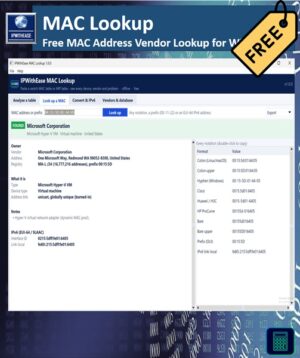
IPWithEase MAC Lookup works the other way round. Paste the whole table, from any vendor, and it identifies every device in one go, on your own PC.
Paste anything
It understands the output engineers actually work with:
- MAC address tables from Cisco IOS and NX-OS, Arista, Juniper, HP/Aruba and Huawei/H3C
- ARP tables, Windows
arp -aand Linuxip neigh - DHCP lease exports and CSV files from any tool
- A plain list of MAC addresses in any notation
Paste a MAC table and an ARP table together and the rows are joined per MAC, so the IP address, VLAN and switch port appear on the same line. “Which port is 10.10.10.15 on?” takes a few seconds.
It points out the problems for you
Every analysis comes with findings, not just vendor names:
- IP address conflicts: one IP answered by two different MACs
- Several devices on one access port: usually a hidden switch, hub or Wi-Fi router plugged in by a user. If most of them are virtual machines, it’s reported as a hypervisor host instead.
- The same MAC on several ports: a sign of a loop, MAC flapping or a spoofed address
- Consumer routers and Wi-Fi gear on a corporate network
- IP cameras and IoT devices sitting on the same VLAN as PCs and phones
- Randomized (private) MACs from phones and laptops, which break MAC reservations and NAC
- Unregistered prefixes: a brand-new assignment or a spoofed address
You also get a breakdown by vendor, device type and VLAN.
The most complete offline lookup
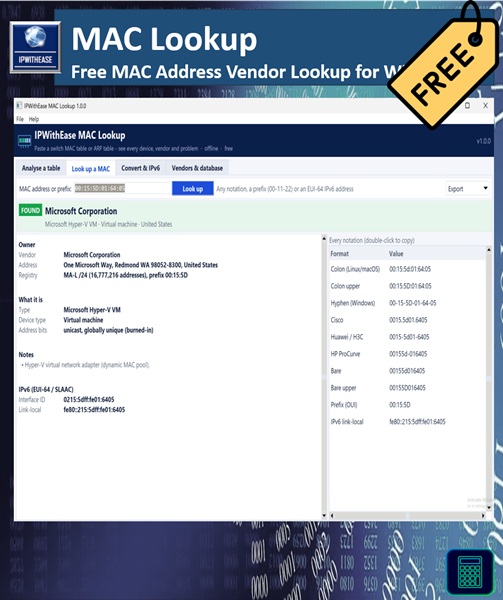
All five IEEE registries (MA-L, MA-M, MA-S, IAB and CID) are built in, with more than 58,000 prefixes. Lookups use longest-prefix matching, so devices from small /28 and /36 blocks show their real manufacturer instead of “IEEE Registration Authority”.
It also decodes the special addresses that confuse other tools:
- HSRP, VRRP and GLBP gateway MACs, with the group number
- VMware, Hyper-V, KVM, VirtualBox and Xen virtual machines
- Docker and Google Cloud MACs, including the IP address they contain
- IPv4 and IPv6 multicast addresses, with the group they belong to
- STP, LLDP, LACP, CDP and other protocol addresses
Handy extras
- Convert & IPv6: turn a whole list of MACs into Cisco, Windows, Linux, Huawei or HP notation for ACLs, DHCP reservations and port-security lists. Calculate EUI-64 IPv6 addresses from MACs, or get the MAC back from an IPv6 address.
- Vendor search: list every prefix a vendor owns, ready to paste into firewall or NAC rules.
- Database updates: refresh the IEEE lists with one click when you’re online. On locked-down networks, download the IEEE file in a browser and import it.
Reports in one click
Export to an HTML report for tickets and audits, CSV for Excel, or JSON. There’s also a command-line mode for scripts:
IPWithEase-MAC-Lookup.exe --cli bulk mac-table.txt -o report.html
Private by design
Everything you paste stays on your computer. There’s no account, no cloud service and no telemetry. The only network access is the optional database update, which downloads the public IEEE lists and sends nothing about your network.
What you get
- IPWithEase MAC Lookup installer (adds a Start menu shortcut and uninstaller)
- Portable .exe that runs from any folder or USB stick, no install needed
After checkout the download links appear on the order page and in your email. You can always download the latest version again from My Account → Downloads.
System requirements
Windows 10 or 11 (64-bit). No admin rights or extra software required.
Good to know
- Randomized MACs from phones and laptops don’t belong to any manufacturer, so no tool can identify their vendor. MAC Lookup labels them clearly.
- Vendor and device-type results are best-effort identifications based on the registered owner of the prefix.
- Windows may show “Windows protected your PC” for a new download. Click More info → Run anyway. You can check the file against the SHA-256 checksum on the versions page.
More free tools from IPWithEase
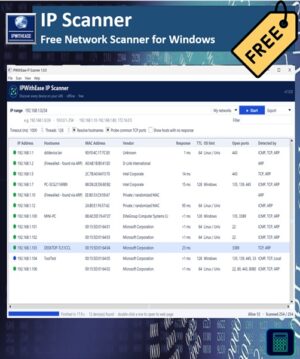
IP Scanner · IP Subnet Calculator · Ping & Trace · DNS Doctor






Reviews
There are no reviews yet.