Table of Contents
Effective communication of technology has taken a significant precedence in the modern era. Due to demands of business we need to find ways and means to make technologies talk to each other using Webhook and APIs. Both webhook and API enables sync and data relay between two applications. However, both technologies have way of working differently with slightly different purposes.
In today’s article we understand and compare two web communication technologies – Webhook and API, understand their key differences and use cases, their benefits and limitations.
What is a Webhook
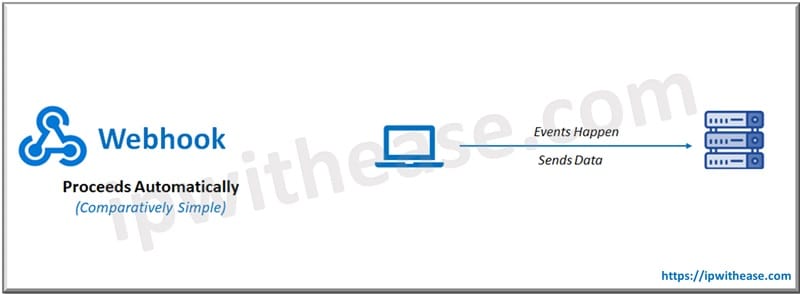
Webhook serve as a cornerstone for automation interactions between two applications. They act like virtual messengers to facilitate seamless communication between online accounts of yours. They enable applications to notify another one when a specific event occurs using real time synchronization and data exchange which does not involve additional effort. Webhooks are push based communication technology which helps applications to transform into synchronized performers.
Use Cases for Webhook
- Updating user subscription status in CRM
- Sending automatic reminders for meetings
- Notifying users won owns stock in organization when stock prices drop at specific level
What is an API
Application programming interfaces (APIs) are the cornerstone of connections. APIs are like transformers which allow different software’s components to interact in a standardized manner. They provide a set of rules to interact, simplify complex processes and enable applications, platforms and services so they all can work together seamlessly. They speed up development, enable and empower the innovative side of applications. Crafting a mobile application, enhancements in existing software, new integrations are all can be achieved using an API.
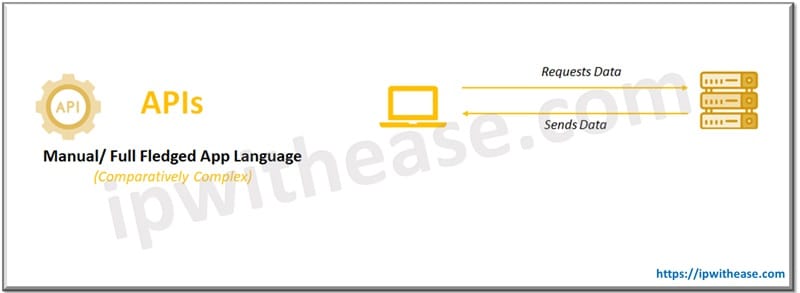
Use Cases for APIs
- Shipment tracking on e-commerce websites
- Traffic data pulling for maps
- Using third party MFA to login into company portal
Related: Types of API Protocols
Comparison: Webhook vs API
Below table summarizes the differences between the two:
| Features | Webhook | API |
| Definition | Webhook is also known as reverse API, web callback and HTTP push API. It delivers data when an event occurs or instantly | API is a software intermediary which let two applications communicate with each other |
| Working | Webhook are event based and work when a specific event happens in source application | APIs are request based and operate when request comes from third party applications |
| Usage | Ideally suited for smaller data and acts as messenger and helps to send and extract updates in real time. Suitable for scenario where application or platform requires real time feature | APIs are well suited when you are constantly requiring incremental changes in data. For example, an e-commerce website has to track data or regularly update shipping status |
| Functioning | Webhook let data to be sent instantly from one application to another. It does not need to send request to server. Data transfer payload happens in JSON or XML format | An API endpoint, URL or access to particular resource or functionality can be made available by webservice. An API endpoint requires request to the server to get response (in structure format such as JSON or XML) |
| Operating Mode | Webhook receive calls via HTTP POST from external system if there are any data updates | APIs place requests without knowing if data update on a request or response |
Download the comparison table: webhook vs api
Benefits of Webhook over APIs
1. Real-Time Updates
- Webhook: Instantly delivers data to your application when an event occurs, providing real-time updates.
- API: Requires periodic requests to check for updates, which introduces latency.
2. Reduced Server Load
- Webhook: Eliminates the need for constant requests by only sending data when an event occurs.
- API: Continuously queries the server, increasing resource consumption.
3. Improved Efficiency
- Webhook: Reduces unnecessary calls to the server, focusing only on relevant events.
- API: May frequently make requests that return no new data, wasting bandwidth and processing power.
4. Lower Costs
- Webhook: By reducing API calls, webhooks lower infrastructure costs, especially in high-traffic systems.
- API: Requires more resources and higher API quotas, increasing costs.
5. Faster Response Times
- Webhook: Events are pushed immediately, enabling quicker responses to user actions.
- API: Response depends on the frequency of polling intervals, which can introduce delays.
6. Simpler Implementation for Real-Time Use
- Webhook: Ideal for scenarios requiring real-time notifications, like payment updates or order tracking.
- API: Requires complex logic to mimic real-time behavior with frequent polling.
7. Scalability
- Webhook: Easily scales with event-driven architectures, as it reacts only to triggered events.
- API: Scalability becomes challenging with increased traffic due to constant polling.
8. Customization and Flexibility
- Webhook: Sends only relevant data for specific events to a predefined endpoint.
- API: Typically requires querying the entire resource repeatedly, even for minor changes.
9. Better for Low-Change Data
- Webhook: Efficient for events that occur sporadically, avoiding the need for continuous checking.
- API: Inefficient for infrequent changes, as it wastes resources.
When to Use APIs Over Webhooks
Considering the list of benefits of webhooks over APIs, an obvious question arises – when to use the APIs?
- For systems requiring on-demand data fetching.
- When the application needs historic data or frequent queries.
FAQs
Q.1 Isn’t a webhook just a type of API?
Pretty much, yes. A webhook is an HTTP callback: the provider sends a POST request to an endpoint that you expose. So it uses the same building blocks as an API, just with the direction reversed. That’s why people sometimes call webhooks “reverse APIs” or “push APIs.”
Q.2 What does “polling” mean, and why do people say webhooks fix it?
Polling means calling an API over and over to check whether anything changed. Ask every 30 seconds and 99 of 100 answers come back “nothing new.” That wastes compute and burns through rate limits. A webhook drops the guesswork because you only hear from the provider when there’s an actual event.
Q.3 When is a webhook the better choice?
Use a webhook when you need to react to events as they happen. Common cases are payment confirmations (Stripe, Razorpay), new commits or PRs (GitHub), form submissions, CI/CD pipeline triggers, and alerts from monitoring tools. If you’d otherwise be polling, a webhook is usually the right call.
Q.4 Do webhooks and APIs work together?
All the time. A typical pattern: a webhook tells you “order #4521 was updated,” then you call the API to pull the full, current order details. The webhook is the nudge and the API is the source of truth. This also protects you if a webhook payload is incomplete or arrives out of order.
Q.5 How do I secure a webhook endpoint?
Your endpoint is public, so anyone could post fake data to it. The usual protections are:
1. Verify the HMAC signature the provider sends in the header, using a shared secret
2. Accept HTTPS only
3. Check timestamps so old requests can’t be replayed
4. Allowlist the provider’s IP ranges where they publish them
5. Never trust the payload blindly. Re-fetch anything sensitive through the API.
Q.6 Can I get real-time updates without webhooks?
Yes. WebSockets and Server-Sent Events keep a persistent connection open for two-way or streaming updates, and long polling is a middle ground. Webhooks still fit server-to-server event delivery best, because neither side has to hold a connection open.
Q.7 Which is easier to build and debug? API or Webhook
APIs are simpler to start with. You send a request and get a response back right away. Webhooks take more setup: you need a public endpoint, signature checks, retry handling and logging. For local testing, tools like ngrok, webhook.site or the provider’s own CLI (for example stripe listen) save a lot of time.
ABOUT THE AUTHOR

You can learn more about her on her linkedin profile – Rashmi Bhardwaj