Table of Contents
When companies talk about AI readiness, the conversation usually starts with models, platforms, and use cases.
The network rarely gets the same attention.
That can become a problem once an AI project moves beyond a small pilot. Even a strong model can feel slow or unreliable if it has to reach across several systems, move large amounts of data, or work through an infrastructure environment that was never designed for that kind of traffic.
For network and infrastructure teams, that often means getting pulled into AI projects after many of the big decisions have already been made.
The question quickly becomes less about which AI platform the company chose and more about whether the environment underneath it can actually support what the business wants to do.

Network Architecture & AI Strategy
AI Workloads Put Different Pressure on the Network
Most business applications behave in fairly predictable ways.
Employees open a system, retrieve information, make an update, and move on. AI applications can be much more demanding, especially when they need to pull information from several sources before generating a response.
Think about an internal AI assistant answering a question about a customer.
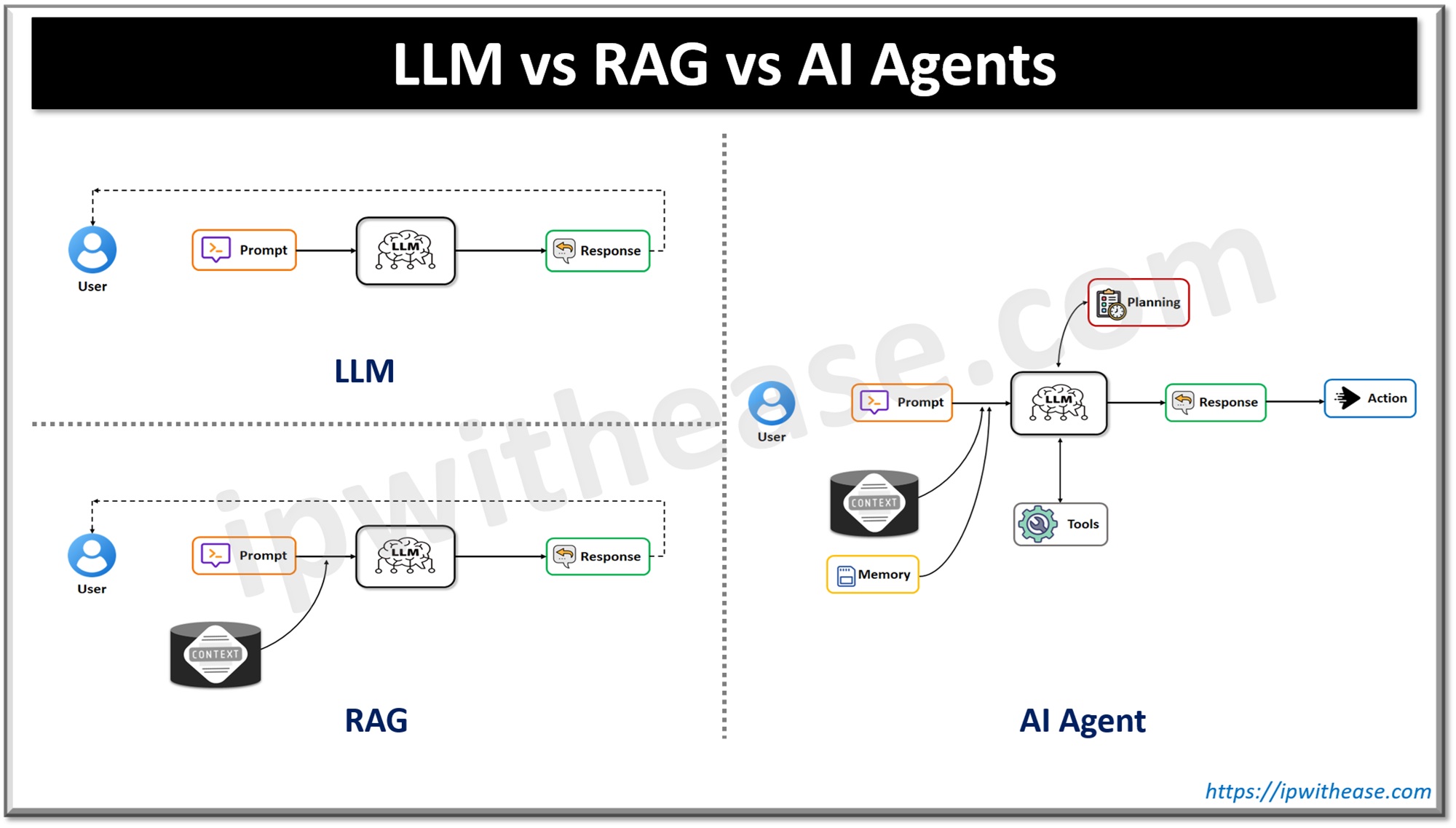
It may need to retrieve information from the CRM, check an ERP system, pull documents from SharePoint, and reference data sitting in a warehouse before it can respond.
That creates several network considerations that may not have mattered as much for the applications already running in the environment.
- Traffic can be less predictable. AI usage doesn’t always follow a neat schedule. A group of employees using Copilot at the same time, an automated agent kicking off a workflow, or a spike in queries can create bursts of traffic that look very different from a traditional application workload.
- Small delays become noticeable. Users are surprisingly sensitive to response time when they’re interacting with an AI assistant. A few additional seconds may not sound significant from an infrastructure perspective, but to someone waiting for an answer in a chat window, it can make the tool feel slow.
- More systems are involved in a single request. The usefulness of an AI tool often depends on how much relevant information it can reach. Every additional system it needs to query adds another connection that has to perform reliably.
None of those issues necessarily point to one dramatic network failure. More often, they show up as an AI tool that works, but not quite as well as everyone expected.
Access Gets More Complicated Too
Performance isn’t the only concern.
The more information an AI solution can access, the more useful it can become. But broader access also raises an obvious question: how do you make sure the AI only retrieves information each user is actually allowed to see?
That’s where networking, identity, security, and data governance start running into one another.
For example, if an employee asks an AI assistant for information that exists across several internal systems, can the environment maintain the same access boundaries that would apply if that employee opened those systems directly?
Can the AI reach the data it needs without creating a path into sensitive systems that should remain isolated?
And can teams see and monitor the traffic moving between the AI service and those systems?
These aren’t questions to save for the end of a rollout.
An AI tool may work perfectly well without them being fully answered during a limited pilot. The problems are more likely to appear when more users, more systems, and more sensitive data get involved.
Older Network Designs Can Start Showing Their Age
A lot of enterprise infrastructure was designed long before anyone expected employees to spend their day asking AI assistants questions across multiple business systems.
That doesn’t automatically make the architecture outdated or unusable.
But some designs that worked perfectly well for traditional applications can become limiting as AI introduces new traffic patterns and more dependencies between cloud services, on-premises systems, databases, and applications.
An older WAN configuration may introduce unnecessary latency. A rigid hub-and-spoke architecture may send traffic through paths that no longer make sense. Limited segmentation can create security challenges when an AI application needs access to information across several environments.
The answer isn’t always a major network overhaul.
Sometimes the right move is better visibility. Sometimes it’s adjusting segmentation, improving connectivity between specific systems, or modernizing part of the environment rather than replacing everything.
The important part is identifying those limitations before they turn into production problems.
Monitoring Has to Go Beyond “Is It Up?”
Traditional network monitoring is very good at answering questions like: Is the system available? Are packets being dropped? Is a link congested? These are still important.
But an AI application can technically be online and still deliver a poor experience.
Maybe requests to one data source consistently take longer than the others. Maybe timeouts only appear when usage spikes in the afternoon. Maybe one path between a cloud AI service and an internal database is adding enough latency to make the whole interaction feel sluggish.
Those issues can be easy to miss if monitoring is focused mostly on uptime, packet loss, and overall network health.
For AI workloads, teams may also need to look more closely at the paths between the AI service and the systems it relies on. A delay reaching one database or internal application can slow down the entire response, even when the rest of the network appears healthy.
Looking at latency by system, usage patterns, and where slowdowns occur can help teams pinpoint whether the issue is actually with the AI application or somewhere in the infrastructure supporting it.
What This Means for Network and Infrastructure Teams
Network teams shouldn’t be the group that gets called only after an AI pilot starts running slowly.
They should be part of the planning earlier.
Before a broader rollout, it’s worth understanding what systems the AI will need to reach, how much traffic those interactions could create, how access will be controlled, and where the existing architecture may introduce unnecessary delays.
That could mean reviewing network capacity, segmentation, routing, cloud connectivity, monitoring, and the systems that sit between the AI application and its data.
It also means thinking about the broader AI-ready data and cloud architecture supporting the initiative rather than treating the AI tool as something that operates on its own.
The goal isn’t to redesign the network simply because AI is involved.
It’s to make sure the infrastructure decisions already in place still make sense for the way the new application is going to use them.
The Takeaway
There’s a tendency to troubleshoot AI from the top down.
If the experience is slow, teams look at the model. If the answers are inconsistent, they look at the application. If the rollout is struggling, they reconsider the platform.
Sometimes the problem sits further underneath all of that.
AI depends heavily on its ability to reach data quickly, securely, and consistently. If the network makes that difficult, the application can only do so much.
So before the next AI rollout, add one more question to the planning process:
Can the network support what we’re asking this AI system to do?
Finding that answer early is much easier than trying to diagnose it after hundreds of users are already complaining that the tool is slow.
ABOUT THE AUTHOR

IPwithease is aimed at sharing knowledge across varied domains like Network, Security, Virtualization, Software, Wireless, etc.