
Portable: no install and no admin rights needed
100% offline: no account, no telemetry
Compatibility: Windows 10 and 11
Version 1.0.0 · released September 2026
Traceroute that explains itself
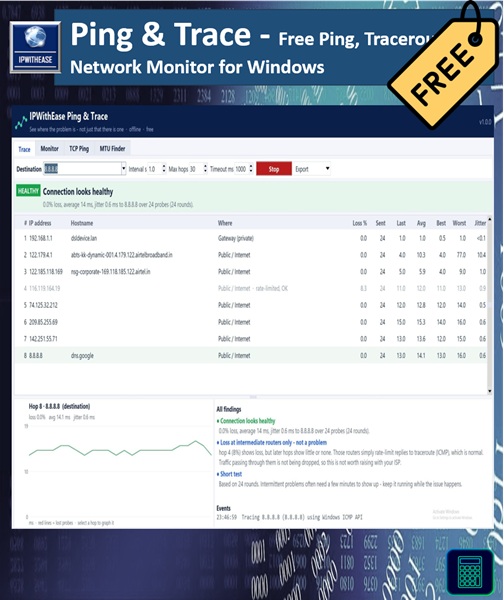
Everyone has stared at a traceroute full of asterisks and red numbers and wondered which of them actually matter. Usually most of them don’t. Routers on the internet give low priority to traceroute replies, so a hop can show 40% loss while your traffic passes through it perfectly.
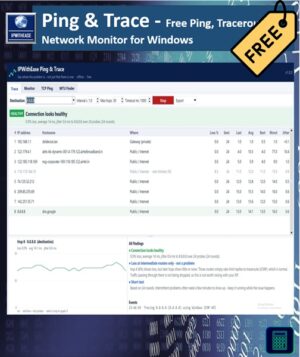
Ping & Trace follows one simple rule that experienced engineers use: a problem is only real if it continues to the destination. It reads every hop and gives you a verdict, for example:
- “Loss at hop 5 but not at the destination: that router rate-limits traceroute. Not a problem.”
- “15% loss starts at hop 3, your ISP’s edge, and carries through to the destination. Send this report to your ISP.”
No more false alarms, and no more guessing where to raise the ticket.
What’s inside
- Continuous traceroute. Loss, latency and jitter for every hop, plus a latency graph over time, in the style of PingPlotter and MTR.
- Plain-English diagnosis. A clear verdict on where the problem is and who should fix it.
- Hop labels. Each hop is marked as your gateway, private network, ISP (carrier-grade NAT) or public internet, so you can see exactly where your network ends.
- Change-window monitor. Watch up to 1,024 devices or services at once. Take a baseline before a change, then compare afterwards to see what didn’t come back, what dropped and recovered, and what is newly reachable.
- TCP ping. Test the connection time to a port (SSH, HTTPS, RDP and so on) when ICMP is blocked by a firewall. You also see whether the service is actually listening.
- MTU finder. Find the largest packet that gets through without fragmentation, with a suggested TCP MSS value and a ready-to-paste Cisco command. Handy for VPN and tunnel issues.
Evidence your ISP can’t argue with
One click creates an HTML report with the graphs, the verdict and timestamps, ready to attach to an ISP complaint, a NOC ticket or a change record. You can also export to CSV, JSON or text.
For automation, the same EXE runs from the command line:
IPWithEase-Ping-Trace.exe --cli trace 8.8.8.8 -c 120 -o report.html
Accurate timing
On Windows it uses the same native API as the built-in tracert, so the timings are exact. Probes for every hop go out in parallel, so each round takes about one second rather than one second per hop.
Private by design
Everything runs on your computer. There’s no sign-up, no cloud service and no telemetry. The only traffic it sends is the pings and probes you ask for.
What you get
- IPWithEase Ping & Trace installer (adds a Start menu shortcut and uninstaller)
- Portable .exe that runs from any folder or USB stick, no install needed
After checkout the download links appear on the order page and in your email. You can always download the latest version again from My Account → Downloads.
System requirements
Windows 10 or 11 (64-bit). No admin rights or extra software required.
Good to know
- Windows may show “Windows protected your PC” for a new download. Click More info → Run anyway. You can check the file against the SHA-256 checksum on the versions page.
- Some firewalls block ping and traceroute. Use TCP ping to test through them.
- Only monitor devices and networks you own or are authorised to manage.
More free tools from IPWithEase
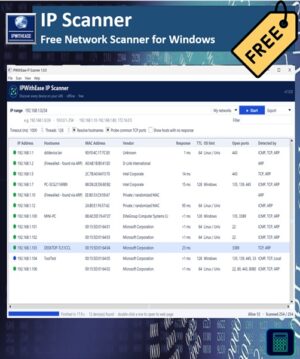
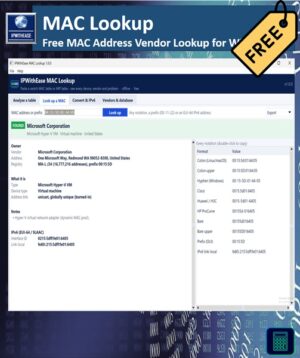
IP Scanner · IP Subnet Calculator · DNS Doctor · MAC Lookup






Reviews
There are no reviews yet.