Table of Contents
A VoIP call can connect successfully and still be unusable.
That distinction matters because many network teams first encounter a voice problem through an imprecise user complaint. Someone reports that a call was “choppy”, that another participant sounded robotic, or that conversation became difficult halfway through a meeting. The telephony platform remained available, no obvious outage occurred and every major network component appears operational.
The task is therefore not simply to determine whether VoIP is working. It is to identify where the quality of the media stream deteriorated.
Four measurements provide a useful starting point: latency, jitter, packet loss and Mean Opinion Score (MOS). None should be interpreted in isolation. Together, however, they can help turn a vague call-quality complaint into a much narrower network investigation.
Troubleshooting VoIP Call Quality
Start With the Symptom, Not the Dashboard
One of the easiest mistakes in VoIP troubleshooting is opening a monitoring dashboard before establishing what actually happened.
The user’s description contains useful diagnostic information.
If both parties experienced long conversational delays, latency deserves attention. If words arrived unevenly or audio became robotic, jitter may be involved. Missing fragments of speech can point towards packet loss. Problems affecting only one direction may suggest a different network path or configuration issue.
Before investigating metrics, establish:
- Who experienced the problem?
- Was audio affected in one direction or both?
- Where were the participants located?
- Was the problem continuous or intermittent?
- Did other users experience it?
- Was the user on Ethernet, Wi-Fi or a remote connection?
- When did the deterioration begin?
The objective is to define the failure domain before searching for its cause. A company-wide voice incident requires a very different investigation from poor audio experienced by one employee on home Wi-Fi.
Good troubleshooting reduces the search area before it increases the amount of data being examined.
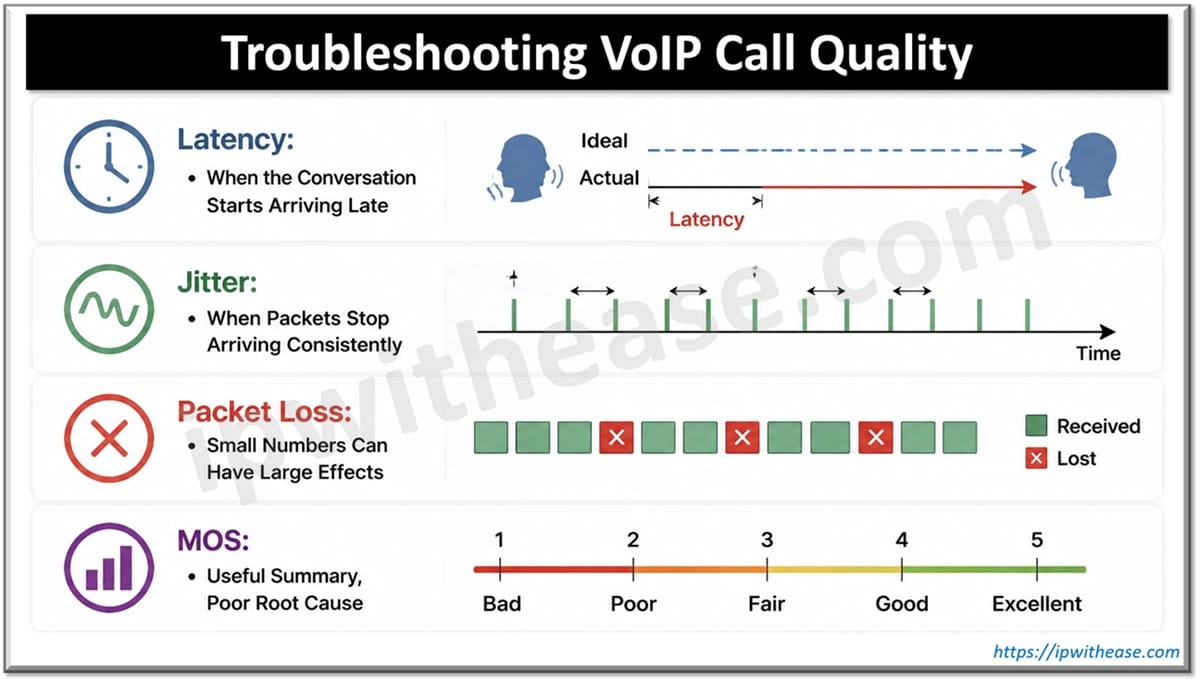
Latency: When the Conversation Starts Arriving Late
Latency measures the time required for voice data to travel through the network.
Every VoIP call contains some delay, but as latency increases, human conversation becomes increasingly awkward. Participants start talking over one another because responses do not arrive when expected.
The ITU-T’s G.114 recommendation has traditionally provided useful guidance for voice transmission planning, with one-way delays below 150 milliseconds generally considered acceptable for most applications and higher delays requiring greater consideration of their impact on conversation.
But measuring latency is only the beginning.
The more useful question is where the additional delay was introduced.
Possible sources include network congestion, inefficient routing, geographic distance, VPN infrastructure, overloaded equipment and delays elsewhere in the communications path.
Network engineers should compare affected calls against normal baselines rather than treating a threshold as the entire diagnosis.
A route that normally operates at 40 milliseconds and suddenly reaches 120 milliseconds may represent a meaningful deterioration even though the measurement remains below a commonly referenced limit.
Jitter: When Packets Stop Arriving Consistently
Voice packets are generated continuously, but they do not necessarily arrive at equally spaced intervals. The variation in arrival time is jitter.
VoIP systems use jitter buffers to compensate for modest variations by temporarily holding packets and playing them in the correct sequence. This works until variation becomes too large or unpredictable.
At that point, users may hear:
- Broken or choppy speech
- Robotic audio
- Short gaps
- Distorted words
- Uneven conversation
Troubleshooting jitter requires looking beyond the endpoint.
Congestion can create variable queuing delays. Wi-Fi interference can produce inconsistent delivery. Routing changes can alter packet paths. Poorly configured QoS can leave real-time voice competing with less delay-sensitive traffic.
A useful investigation compares jitter with network utilisation and traffic patterns at the exact time of the affected call.
If jitter repeatedly increases during backups, large file transfers or other high-bandwidth activity, the problem is no longer mysterious. The network is revealing a prioritisation or capacity issue.
Packet Loss: Small Numbers Can Have Large Effects
Packet loss occurs when voice packets never reach their destination.
Unlike a file transfer, real-time voice cannot simply wait indefinitely for missing data to be retransmitted. The conversation must continue.
The effect therefore becomes audible.
Small amounts of loss may be concealed by packet-loss-concealment techniques. Sustained or bursty loss is much harder to hide and can cause missing words, distorted audio and entire sections of conversation to disappear.
Potential causes include:
- Network congestion
- Wireless interference
- Faulty interfaces
- Cabling problems
- Overloaded network devices
- Routing problems
- ISP or WAN degradation
Packet loss should also be examined directionally.
If the caller hears the agent clearly but the agent hears broken audio, do not assume both sides of the connection are experiencing the same conditions. IP traffic can take different paths, and the impairment may exist only in one direction.
This is an important operational lesson: the experience of a call is shared, but the cause of poor quality may not be.
MOS: Useful Summary, Poor Root Cause
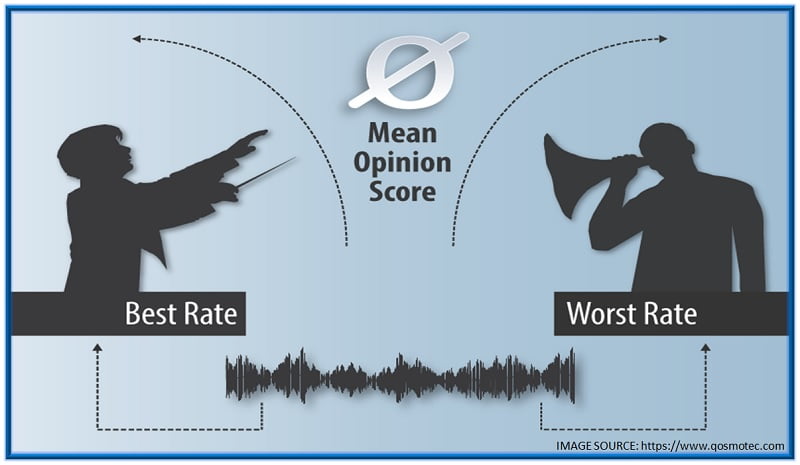
Mean Opinion Score provides a convenient representation of perceived voice quality, traditionally expressed on a scale from 1 to 5.
It is valuable because network engineers do not ultimately manage voice networks for the sake of producing attractive latency or packet-loss statistics. They manage them so people can communicate effectively.
MOS helps translate technical performance into an approximation of experience. But it should not be mistaken for root-cause analysis.
A declining MOS tells the engineer that call quality has deteriorated. It does not necessarily explain why.
The next step is correlation.
- Did packet loss increase?
- Did jitter rise?
- Was latency abnormal?
- Was the problem isolated to one codec, site, network segment, carrier or endpoint?
MOS is best treated as the beginning of an investigation rather than the end of one.
Correlate the Metrics Instead of Troubleshooting Them Separately
Real network problems rarely respect dashboard boundaries.
Latency, jitter and packet loss can share the same underlying cause. Congestion, for example, can increase queueing delay, create variable packet arrival times and eventually cause packets to be discarded.
Investigating each metric independently can therefore produce unnecessary work.
A more useful sequence is:
- Identify the affected calls.
- Establish the time and endpoints involved.
- Review MOS or another experience indicator.
- Compare latency, jitter and packet loss during the same period.
- Examine network paths and utilisation.
- Look for configuration, routing or capacity changes.
- Compare affected calls against healthy calls.
This is where voice monitoring software becomes particularly useful in larger or distributed environments. Historical and real-time visibility can help engineers correlate call-quality degradation with network conditions instead of trying to reconstruct an intermittent problem after the user has reported it.
Intermittent problems are often the hardest because the network may appear completely healthy by the time an engineer begins investigating.
Do Not Forget QoS
Quality of Service policies are designed to protect delay-sensitive traffic such as voice when networks become congested.
But simply having QoS configured does not prove that it is working correctly.
Engineers should verify that voice packets are classified as expected, DSCP markings are preserved through the relevant network path and priority queues are behaving correctly during congestion.
Configuration drift matters here.
A policy may be correct at the access layer but rewritten upstream. A new WAN service may handle markings differently. A network change may inadvertently place voice traffic into the wrong queue.
The operational contradiction is straightforward: a network can have comprehensive QoS policies on paper while still providing poor QoS in practice.
Monitoring validates the outcome. Configuration only describes the intention.
Look for Patterns Across Calls
Individual incidents tell engineers what happened once. Patterns reveal infrastructure weaknesses.
Suppose poor MOS scores consistently occur:
- At one branch office
- During the same period each morning
- For Wi-Fi users
- Across a particular WAN connection
- After traffic reaches a certain level
Those patterns provide considerably more diagnostic value than an isolated complaint.
This is why historical data matters.
Without it, troubleshooting begins every time from zero.
With it, teams can distinguish an unusual incident from a recurring condition and identify whether network changes actually improved performance.
The strongest network teams do not merely resolve incidents. They reduce the probability that the same incident will require investigation again.
Troubleshooting Voice Is Really About Correlation
Latency, jitter, packet loss and MOS are not competing measurements. They describe different aspects of the same experience.
Latency reveals delay.
Jitter reveals inconsistency.
Packet loss reveals missing information.
MOS helps translate those conditions into perceived call quality.
The real skill lies in connecting them.
For organizations managing large VoIP, UCaaS or hybrid communications environments, voice monitoring software can provide the historical and cross-system visibility needed to make those connections faster. But the tool does not replace diagnostic thinking. Engineers still need to understand network paths, QoS, traffic behaviour and the context surrounding an affected call.
A successful troubleshooting process should eventually answer more than “Why was this call poor?”
It should establish where degradation occurred, what conditions produced it, who else was affected and whether the same conditions are likely to appear again.
Because the most useful monitoring does not simply prove that a voice problem existed. It gives the network team enough evidence to prevent yesterday’s intermittent complaint from becoming tomorrow’s recurring incident.
ABOUT THE AUTHOR

IPwithease is aimed at sharing knowledge across varied domains like Network, Security, Virtualization, Software, Wireless, etc.