Table of Contents
Every access decision boils down to one question: should this person be allowed to do this thing, right now? RBAC and ABAC answer that question in very different ways. Picking the wrong one won’t break your network overnight, but it will slowly turn your permissions into a mess nobody wants to audit.
How RBAC works
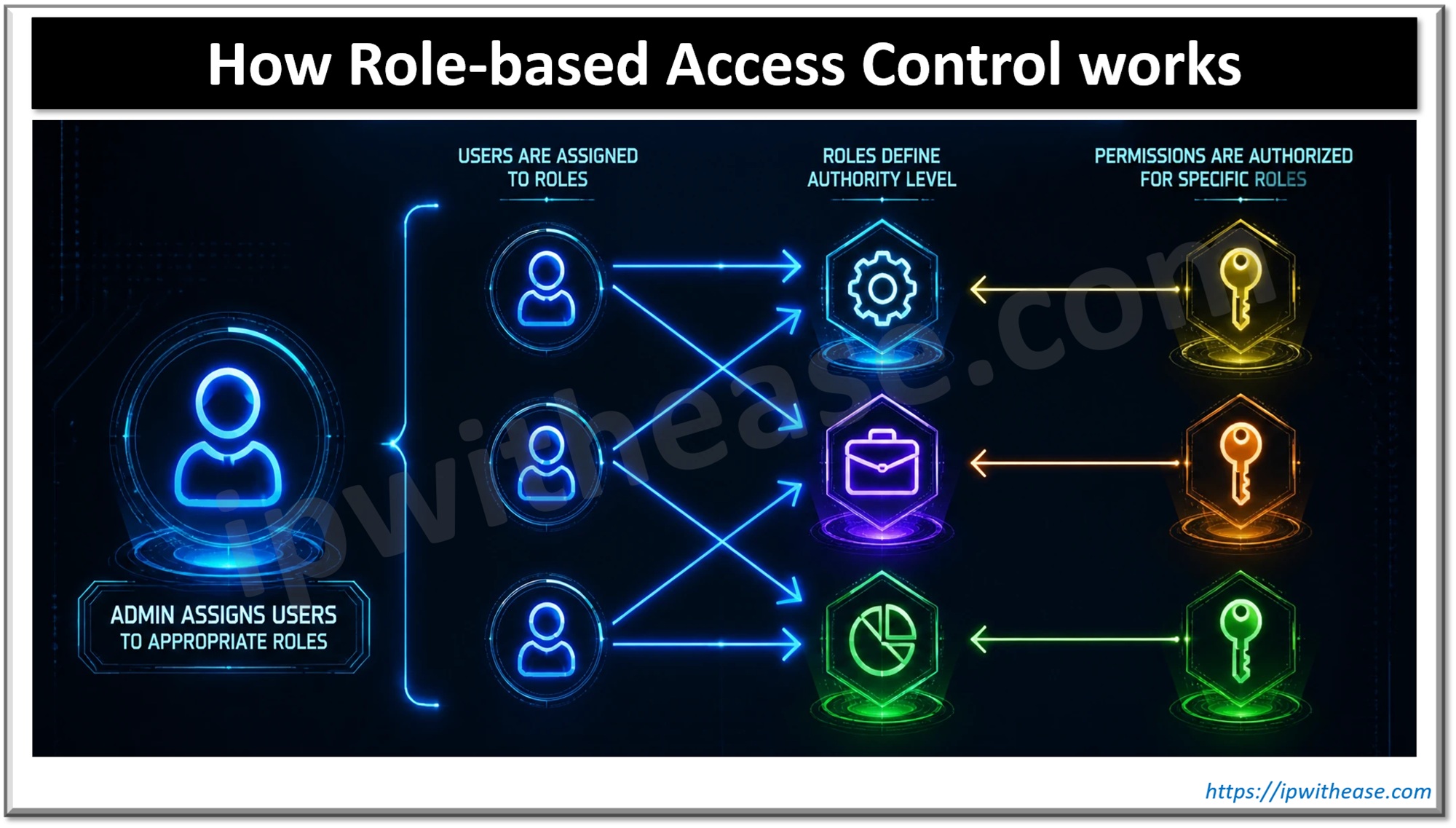
Role-based access control ties permissions to job functions instead of individuals. You define a role like “network operator” or “helpdesk tier 1,” attach the rights that role needs, and assign people to it. When someone changes jobs, you swap their role rather than editing dozens of individual permissions.
Most network teams already use RBAC without calling it that. TACACS+ privilege levels, Cisco ISE authorization profiles and the admin roles on a Palo Alto or Fortinet firewall all follow the same logic. A junior engineer can view configs and run show commands, while only senior staff can commit changes.
The appeal is predictability. You can look at a role and know exactly what it grants, which makes audits and onboarding fairly painless.
How ABAC works
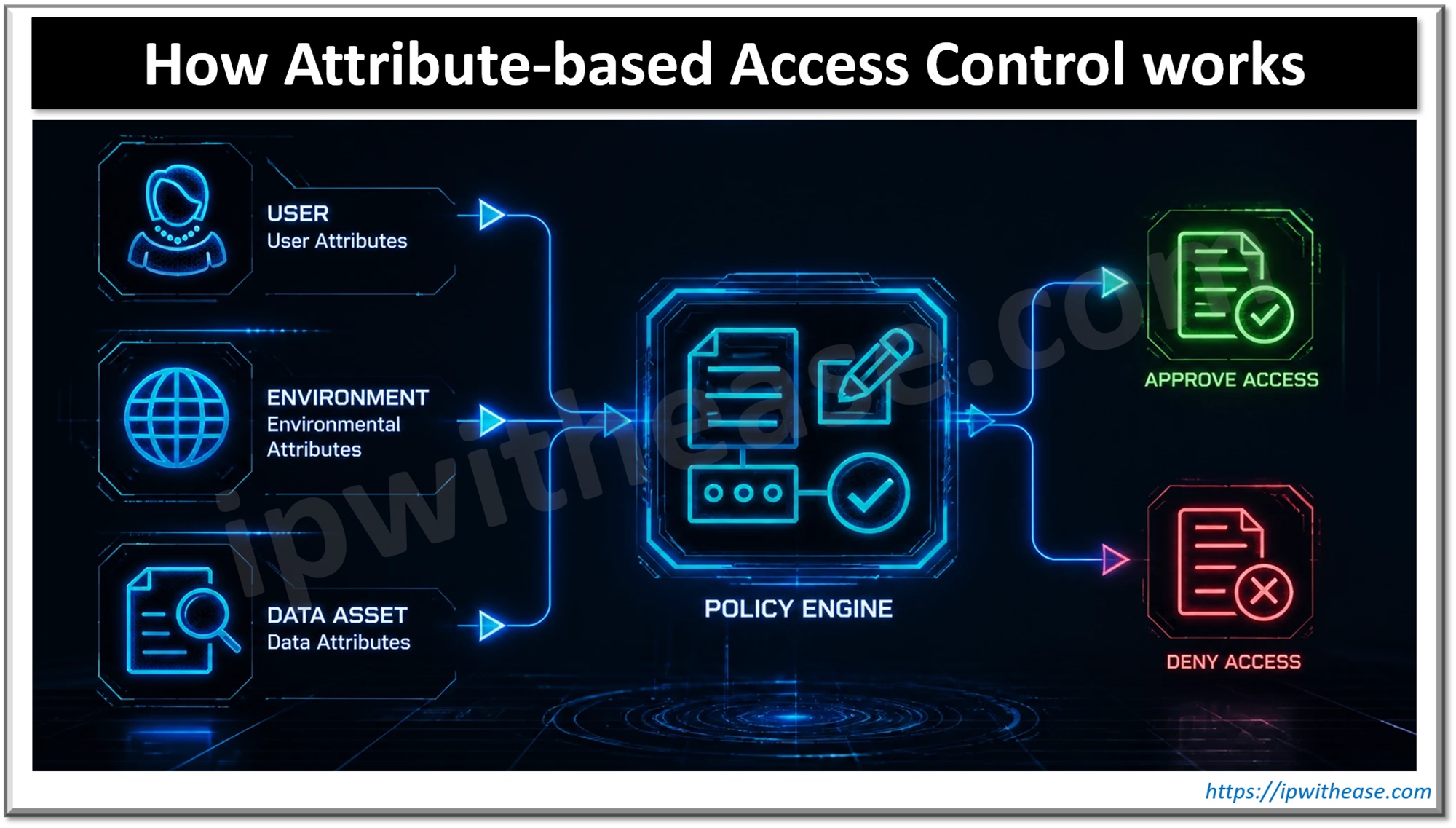
Attribute-based access control makes decisions based on attributes rather than fixed roles. Those attributes can describe the user (department, clearance), the resource (classification, owner), the action and the environment (time of day, device posture, location). A policy might say that contractors can read project files only from a managed device, during business hours, and only for projects they’re assigned to.
NIST describes this model in detail in its Guide to Attribute Based Access Control (SP 800-162). The key difference is that ABAC evaluates context at the moment of the request. RBAC only asks who you are, while ABAC also asks where, when and under which conditions.
Where each model breaks down
RBAC’s weak spot is role explosion. Every exception (“same as sales, but also needs the EMEA reports”) tends to become a new role. After a few years you can end up with more roles than employees, and nobody remembers why half of them exist.
ABAC solves that flexibility problem but introduces another one: complexity. Policies are harder to read, harder to test and harder to explain to an auditor. If your attribute data is unreliable, for example an HR system with outdated department fields, your access decisions will be wrong too.
There’s also a tooling gap. Most firewalls, switches and business applications support roles natively. Full ABAC usually requires a policy engine or a zero trust platform sitting in front of your resources.
RBAC beyond the network
RBAC isn’t limited to network devices and firewalls. ERP platforms rely on it heavily too. Setting up user access control in Business Central, for example, means grouping permissions into roles so that finance, procurement and warehouse staff see only the data and actions they need.
ERP is also where role design gets tested hardest. An overlap that would be a minor annoyance on a switch can become a segregation of duties problem in finance, such as one user who can both create a vendor and approve payments to it.
Which model fits your organization?
RBAC is usually the better starting point if your job functions are stable, your systems support roles out of the box, and you need to show auditors a clear overview of who can do what. That describes most small and mid-sized organizations.
ABAC earns its place when context really matters. Think of remote access from unmanaged devices, sensitive data that should only be reachable under specific conditions, or environments with lots of contractors and temporary access. Cloud-heavy organizations moving toward zero trust tend to land here sooner.
In practice, most organizations end up with a hybrid. Roles define the baseline of what someone may do, and attributes add conditions on top, such as “finance role, but only from a compliant device.” Honestly, that combination tends to hold up better than either model on its own.
A quick way to decide
Count how many of your access rules start with “unless” or “only when.” If it’s a handful, well-designed roles will cover you. If it’s most of them, it’s time to look at attributes, or at least at a policy layer that adds context to the roles you already have.
ABOUT THE AUTHOR

IPwithease is aimed at sharing knowledge across varied domains like Network, Security, Virtualization, Software, Wireless, etc.