Table of Contents
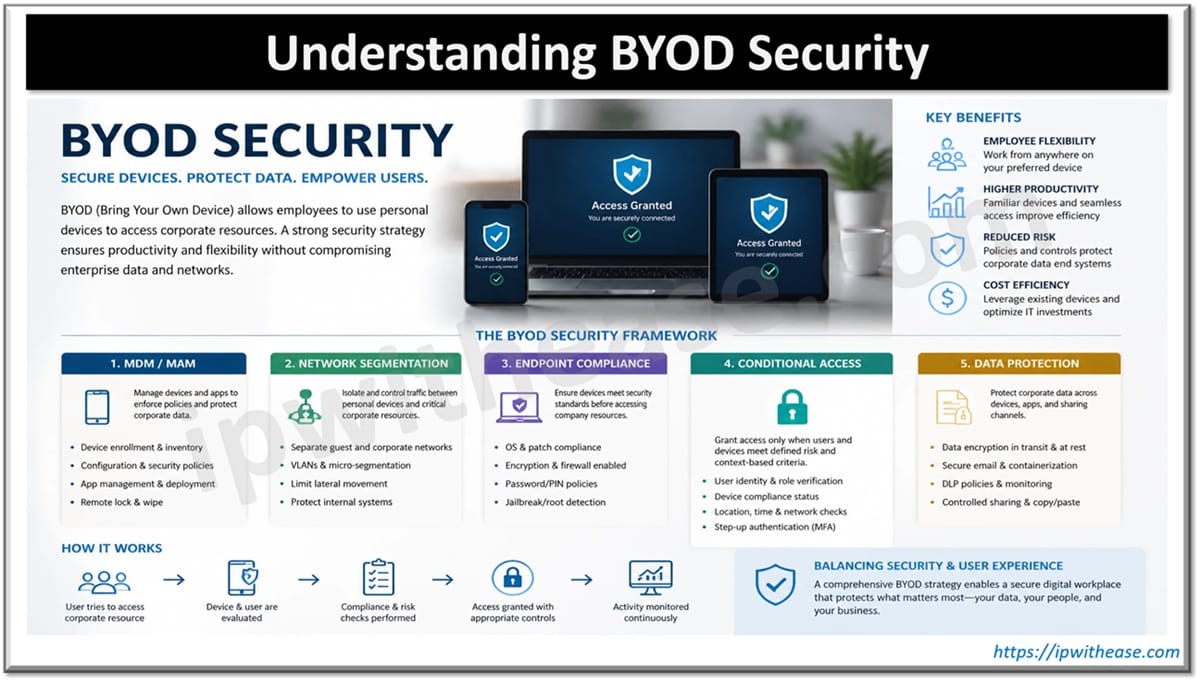
BYOD Security refers to the policies, controls, and technologies organizations implement to protect corporate data and networks when employees use personal devices (laptops, smartphones, tablets) to access company resources. It typically combines measures like MDM/MAM, network segmentation, endpoint compliance checks, and conditional access to balance user convenience with enterprise risk management.
In the span of a few years, “bring your own device,” or BYOD, has evolved from a workplace trend into an expected part of how work gets done. While the business benefits are undeniable, security is a legitimate concern with BYOD that many organizations have yet to figure out.
The main question is, how does a company protect sensitive business data on a device it does not own?
On the surface, it might seem like cybersecurity teams need to choose between protecting business data and respecting personal privacy in these situations, but that isn’t necessarily the case. Today, it’s possible to protect a business’s digital assets without having to control the entire device. Let’s dig into the reasons.
BYOD Security Should Focus on Data, Not Device Ownership
The traditional response to BYOD security is mobile device management. But MDM enrollment on a personal device gives IT visibility and control that most employees would not accept if they were fully aware of what it entails. They are essentially exposing a personal device to the same level of scrutiny as a company one, even though most of what’s on that device has nothing to do with work.
A much easier sell would be to leave the device alone and focus only on what the company actually owns: its data and the applications used to access that data. It comes down to asking the right question. Instead of “How do we control the employee’s device?,” cyber teams might ask, “How do we control company data wherever it is accessed?”
Those two questions lead to very different programs. One puts IT in the position of managing personal property. The other puts IT in the position of managing business assets, whether it’s cloud applications, sensitive documents, or the identities tied to them.
If an account is compromised or behaving unusually, those signals will surface in the app layer. You do not need to watch the device to catch them.
Separate Work and Personal Environments
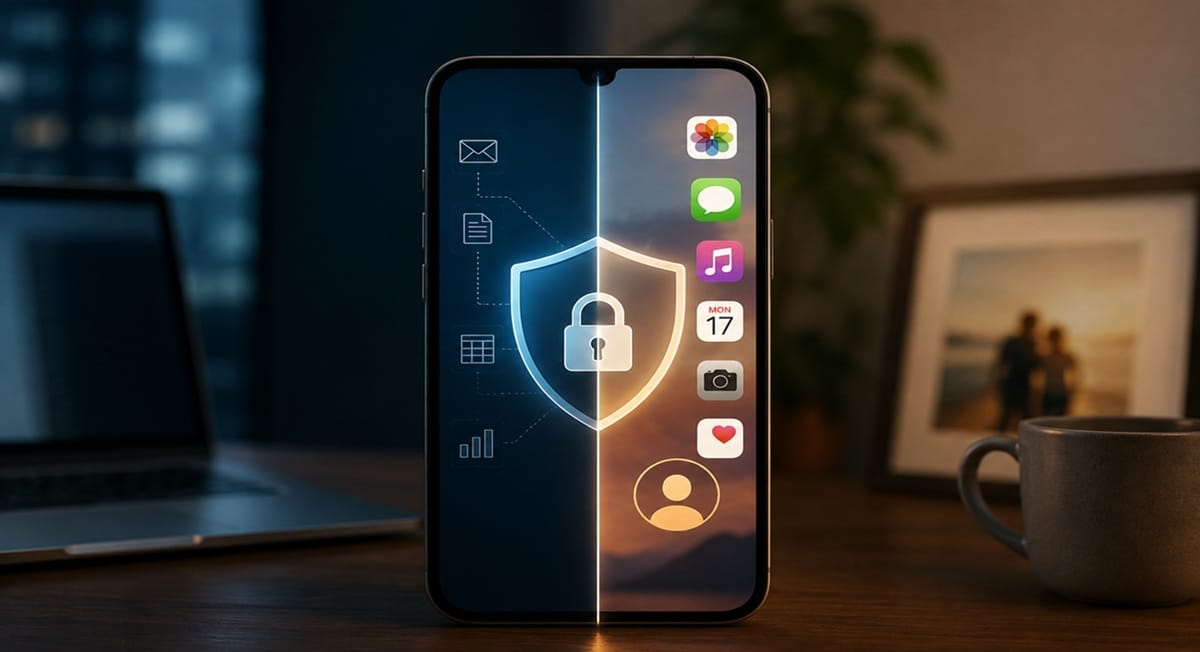
If there is one principle that matters for a privacy-friendly BYOD program, it is separation. Work data should live in a controlled work environment. Personal data should remain entirely outside of it. When those two things mix, both security and privacy suffer.
The good news is that enforcing this separation is fairly practical these days. Most work happens in the cloud, with employees collaborating on Microsoft 365, communicating through Teams or Slack, and storing files in cloud drives rather than locally on their devices. In theory, company data never needs to touch the personal side of a device at all. In practice, it does – unless organizations actively enforce the boundary.
There are a few mechanisms to do so. Organizations can require employees to use a dedicated work profile or a separate browser for business applications, which keeps work sessions isolated from personal browsing.
Secure containers or managed app environments can also isolate specific business tools so that employees can’t copy, share, or move the data inside them. Data loss prevention controls add another layer by blocking actions like forwarding sensitive files to a personal email address or uploading company documents to an unmanaged cloud account.
Make Monitoring Proportional and Transparent
Security teams need some level of BYOD monitoring to be able to do their jobs effectively. But the scope of it must remain within the boundaries of work activity.
Logs from business applications, authentication records, access events, and security alerts tied to company systems are fair game. Everything else belongs only to the employee.
When it comes to monitoring, transparency arguably matters as much as scope. If employees have to guess what the company can see, they tend to assume the worst. That sort of friction undermines adoption and pushes people toward workarounds that create the same risks monitoring was meant to catch.
What Happens When a Device Is Lost
A good test of the maturity of a BYOD program is seeing what the company does when a device is lost or stolen. Wiping the device clean via remote wipe sounds like the safest bet, but on a personal device it is rarely the right one. In some jurisdictions, it may even create legal liability.
A much better alternative is a selective wipe. IT deletes only corporate data, including data from business apps, work profile contents, authentication tokens, and cached credentials. Android work profiles and iOS managed apps both support this natively, keeping corporate data in a contained space that IT can clear without touching the rest of the device.
Revoking access at the identity layer is another solid option. The company can revoke SSO sessions or invalidate authentication tokens, so that even without a device wipe, the account becomes useless to whoever has the phone.
Some platforms support both approaches, giving IT the ability to trigger a selective wipe or revoke access from a single console.
Reduce Workarounds by Improving User Experience
BYOD security can fail when the secure path is too difficult to follow. One common example is session timeouts set too aggressively, forcing employees to re-authenticate constantly. When designing these policies, it is worth asking what the actual security benefit is relative to the inconvenience it creates.
The friction in a workflow is a direct measure of how likely employees are to bypass the systems you have built. People generally don’t bypass controls out of malice – it’s simply human nature. An employee who has to re-enter their password five times a day will eventually write it on a sticky note.
A solution like Single Sign-On (SSO) is ideal when talking about making access more convenient. It’s secure because it centralizes authentication, while also reducing the number of credentials employees have to manage.
Wherever there is friction, always look for a secure alternative that removes it. If the easiest path is also the safest, that’s the one employees will choose every time.
Conclusion
BYOD programs that actually work are those that see protecting company data and respecting employee privacy as compatible from the start, rather than something they have to choose between.
Companies can still set firm requirements around device patch status, authentication standards, and permitted hardware. It’s all about setting reasonable conditions for access – not trying to control a device that belongs to someone else.
ABOUT THE AUTHOR

IPwithease is aimed at sharing knowledge across varied domains like Network, Security, Virtualization, Software, Wireless, etc.