Table of Contents
Modern AI systems rely on specialized hardware, which forms the foundation for training AI models and ensuring their efficient operation. Deep learning in AI requires high powered accelerators which are the power house for large scale machine learning and LLM workloads. The AI hardware market is valued at $41.58 billion today and is projected to grow to $210.50 billion by 2034, highlighting the global rapid adoption of AI. Traditional CPUs are not well-suited for the matrix mathematics required by neural networks. The specialized families of processors (GPU, TPU, NPU) have taken over which are optimized for each layer of AI.
GPU or graphic processing unit is pioneer and being used for a long time widely for deep learning in AI. TPU or Tensor processing unit is relatively new and Google proprietary custom accelerator
In today’s article we will cover in detail the difference between GPU or graphic processing unit and TPU or Tensor processing unit, its architecture and key features.
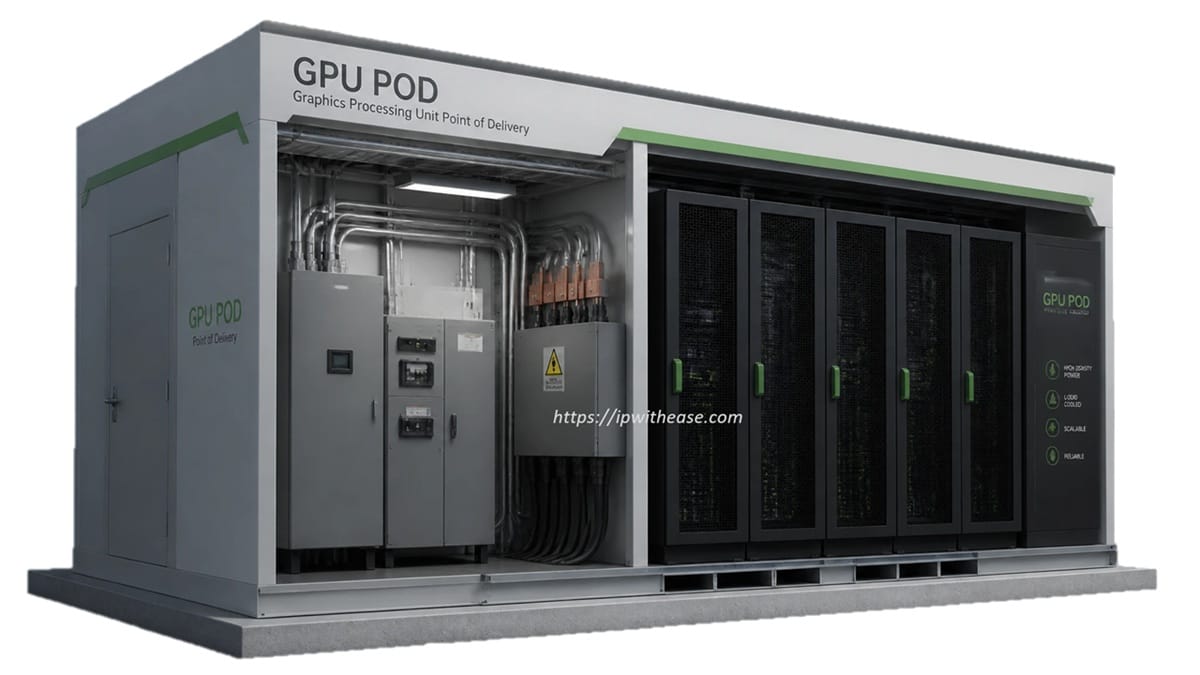
What is GPU POD
GPUs are parallel processors initially designed to render computer graphics but have since been adapted for use as AI accelerators in deep learning and neural network inference. Modern GPUs are significantly different from older versions as they are designed to efficiently handle floating point matrix operations that power neural networks. One of the most popular NVIDIA GPU H100 is designed on Hopper architecture having 16,896 CUDA cores, HBM3 (80GB) memory, memory bandwidth (3,350 GB) and INT8 (3,958 TOPS) performance. GPUs are a unique combination of parallel processing, programmability and CUDA ecosystem.
Key Features of GPU
- Provides universal framework support such as PyTorch, TensorFlow, JAX, ONNX and all major ML libraries
- Capable of handling any AI model architecture – transformers, diffusion models, GNNs, reinforcement learning, CNNs etc
- These GPUs support very high memory capacities, up to 288 GB
- It is a mature ecosystem with 20+ years of optimized libraries, profiling tools, debugging, and community knowledge
- Supported by all major cloud providers – AWS, Azure, Google GCP
- They can manage both real-time latency inference and high-throughput batch inference, using the same hardware for training clusters and serving production workloads.
Limitations of GPU
- Very high power consumption up to 7000 W per unit scaling up data center cooling costs
- For a moderate training cluster setup huge capex investment is needed
- Specialized chips are more suitable for specific workloads as they are general-purpose by design.
- They are not intended for use in smartphones, laptops, or any other battery-operated devices
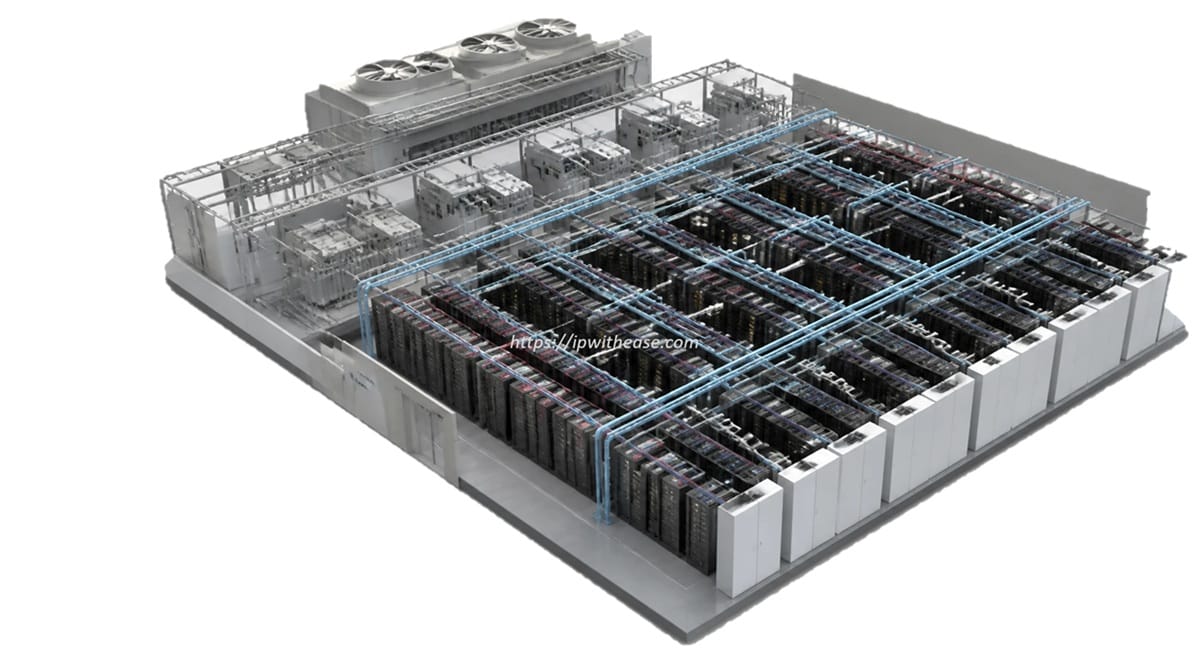
What is TPU POD
TPU or Tensor processing unit is a custom designed integrated circuit (ASIC) from Google for tensor operations and matrix manipulation in machine learning. It was developed in 2015 and the current one is the seventh generation (Ironwood). TPU is designed on systolic array architecture where data flows in pattern which eliminates memory bottleneck as in case of GPU in certain ML workloads. Google TPU v1 is considered better in performance 29 times than GPU in handling inference workloads.
Google TPU PODs can scale up to 9,216 chips on Google high bandwidth proprietary interconnect but only limitation is they are not available outside Google cloud ecosystem.
Key Features of TPU
- They are 2 times cheaper than GPU for similar workloads
- These chips support massive POD scaling in comparison to setups with multiple GPUs.
- 83X more energy efficient then CPU and ideal for large scale LLM workloads in GPU based environments
- It has native integration with Google services
- Ironwood version 7 has substantial throughput and energy efficiency over its predecessors
Limitations of TPU
- Vendor lock-in as it is exclusively available on google cloud
- Optimized for TensorFlow and JAX, creating framework dependency
- The workloads which fit systolic architecture are best suited. For irregular patterns, dynamic shapes, or custom operations, GPUs perform better.
- Huge cloud spend commitments and enterprise agreements is required for accessing large scale TPUs
- Debugging and profiling is complex in TPU
- They are not ideal for general-purpose computing as they are exclusively designed as ML accelerators
GPU POD vs TPU POD
| Features | GPU POD | TPU POD |
|---|---|---|
| Architecture | Based on parallel processing having a flexible core. Each CUDA core operates individually and executes floating point instructions with large VRAM. | It is a 2 grid systolic array architecture where data flows in a wave form and each unit receives data from its neighbour and the result is passed to the downstream. |
| AI performance | 3958 TOPS ; 989 TFLOPS | They can deliver 100 to 1000 TOPs depending on configuration. |
| Memory | Memory supported 80 GB (H100) and 288 GB (B200) | Memory scales with POD size using HBM23 per chip |
| Memory bandwidth | The bandwidth can reach 3,350 GB/s in H100 and 8 TB in B200. | It does not support random memory access unlike CPU but it is high |
| Power consumption requirements | Power consumption varies from 700W to 1000W across models, with significant cooling needs in data centres. | These chips provide better performance per watt compared to GPUs. |
| Design purpose | Parallel compute – originally meant for graphics and redesigned as AI accelerator | These systems mainly handle tensor and matrix operations and support large scale LLM operations |
| Ideal workloads | All types of model training, LLMs, general inference | Model training on google cloud TensorFlow and JAX workload , high throughout batch inference |
| Cloud provider support | Major cloud providers such as AWS, Azure, Google GCP, and on-premises setups are supported | Google cloud |
| Training support | Full training support is available for all | Google Cloud provides full training support with pod scaling. |
| Frameworks supported | PyTorch, JAX, TensorFlow, ONNX | TensorFlow and JAX are natively supported, with limited support for PyTorch through the XLA bridge. |
Download the comparison table: gpu pod vs tpu pod
Watch Related Video
ABOUT THE AUTHOR

You can learn more about her on her linkedin profile – Rashmi Bhardwaj