Table of Contents
Almost everyone needs the internet these days – there is no escaping it. So, if it is time for you to kit your home out with some broadband, you have come to the right place. Choosing the right WiFi system and provider can seem a little overwhelming if you are inundated with options when all you want is a WiFi that is reliable, fast, and can provide enough coverage for your entire home or office.
Key Points of Consideration to Choose the Right WiFi
So, with that in mind, here are some factors to consider when choosing the right WIFI for you.
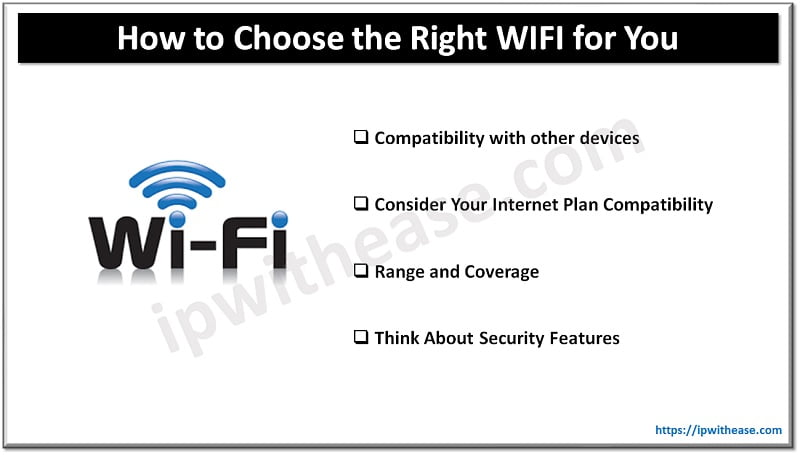
Look for Compatibility with other devices
The first thing you need to do when choosing any WIFI router is to make sure it is compatible with your devices. This is worth knowing if you have a lot of smart home devices that are used regularly, such as security cameras or voice assistants, you might be best off choosing a WIFI router that is compatible with them. Did you know that some WIFI routers are specifically designed for smart home devices?
You will also want to consider your compatibility in terms of what you are going to be using your internet for. Will you only need to check your emails once a week, or will you be streaming stuff or using demanding software that will need an internet connection that can keep up?
Consider Your Internet Plan Compatibility
Different WIFI routers have unique capabilities, so it is important to choose one that can handle the speed and bandwidth that is offered by your chosen internet plan. For example, if you have a high speed internet plan with your chosen service provider, you will need a WiFi router that can handle those speeds without slowing down, lagging, or having any other issues that can compromise your experience.
There are also different types of internet. For instance, fiber is a popular option due to its speed; however, you should research some of the best varieties available today. Learn to define fiber to the node, fiber to the curb, fiber to the home, and fiber to the desk before selecting the right option and a service provider that can offer you chosen type.
Related: What is Wi-Fi Offload? An Overview!
Range and Coverage
Another important factor to consider when choosing the right WIFI for you is the range and coverage you need in your space. Ideally, you will want a WIFI router that provides enough coverage for your whole home or office area, without any dead zones or areas with a limited, poor signal. Some WIFI routers do come with multiple antennas or mesh networking capabilities to extend their range and coverage if you need them, which can be worthwhile knowing if you have a big home or office.
Think About Security Features
Security is imperative when it comes to the internet, and did you know that WIFI routers also have inbuilt security features that can help keep you protected? If staying safe online is important to you, you will want a router that provides strong security features to protect your network and devices from cyber threats. Look for routers that offer features like WPA3 encryption, automatic firmware updates, and guest network access, and if you are not sure – ask a professional!
FAQs
Q.1 How much internet speed do I actually need?
It depends on how many people are online at once and what they’re doing. One or two people browsing and streaming in HD can get by on around 50–100 Mbps. A family with 4K streaming, video calls and online gaming happening together will feel more comfortable at 300 Mbps or above. Count your busiest hour, not your average day.
Q.2 Should I pick WiFi 6, WiFi 6E or WiFi 7?
For most homes today, WiFi 6 is the sensible baseline. It handles lots of devices well and doesn’t cost much anymore. WiFi 6E adds the 6 GHz band, which is less crowded and works well in apartment blocks full of competing networks. WiFi 7 is the newest standard. It’s worth buying if you have multi-gig internet, or you want the router to last many years. But your phones and laptops need to support it before you see the full benefit.
Q.3 What do 2.4 GHz, 5 GHz and 6 GHz mean, and which should I use?
Think of them as lanes on a road. 2.4 GHz reaches farther and passes through walls better, but it’s slower and more crowded. 5 GHz is faster but covers less distance. 6 GHz is the fastest and cleanest, but it has the shortest range. Most modern routers handle all of this for you through “band steering,” so you usually don’t have to choose by hand.
Q.4.Single router or mesh system: which is better?
If your home is small or open-plan, one good router in a central spot is usually enough. If you have multiple floors, thick concrete walls or a long layout, mesh is the better choice. It uses several units spread around the house to give even coverage without dead zones.
Q.5 Where should I place my router?
Put it in a central spot, raised off the floor, and out in the open. Keep it away from microwaves, big metal objects and fish tanks. Hiding it in a cupboard or behind the TV is one of the most common reasons for weak WiFi.
Q.6 Do I need a router with Ethernet ports if everything is wireless?
Yes, it’s still worth having. Wired connections are more stable for gaming consoles, desktop PCs, smart TVs and work setups. If you have a multi-gig plan, look for at least one 2.5 Gbps port, or the port itself will limit your speed.
Q.7 What security features should I look for?
At a minimum, look for WPA3 support, automatic firmware updates and a separate guest network. Parental controls and built-in threat protection are useful extras, especially for families or anyone working from home.
Q.8 How many devices can a home WiFi network handle?
Phones, TVs, smart speakers, cameras and bulbs add up fast. Many homes now have 20 or more connected devices. Older routers struggle at that number. WiFi 6 and newer are built to handle many devices at once without everything slowing down.
Continue Reading
LiFi vs WiFi – Detailed Comparison
2.4 GHz vs 5 GHz: Which Wi-Fi should I use?
ABOUT THE AUTHOR

IPwithease is aimed at sharing knowledge across varied domains like Network, Security, Virtualization, Software, Wireless, etc.